sora text to video Best 11 prompts for cinematic AI scenes
Sora Text to Video: 11 Prompts for Cinematic AI Scenes
What if you could type a single sentence and generate a high-definition, cinematic video that looks like it was shot by a professional film crew? This is no longer the realm of science fiction; it’s the reality ushered in by Sora text to video technology. As we approach 2025, the digital content landscape is undergoing a seismic shift. A recent industry analysis from Gartner suggests that by 2026, over 30% of outbound marketing messages from large organizations will be synthetically generated, a significant leap from less than 5% in 2023.
This isn’t just about automation; it’s about unlocking a new dimension of creative expression and production efficiency. For creators, marketers, and storytellers, mastering Sora text to video prompts is rapidly becoming a non-negotiable skill. This guide delves deep into the art and science of crafting prompts that transform simple text into breathtaking cinematic sequences, providing you with 11 powerful examples to elevate your AI video projects from basic to blockbuster.
Core Components of a Cinematic Sora Prompt
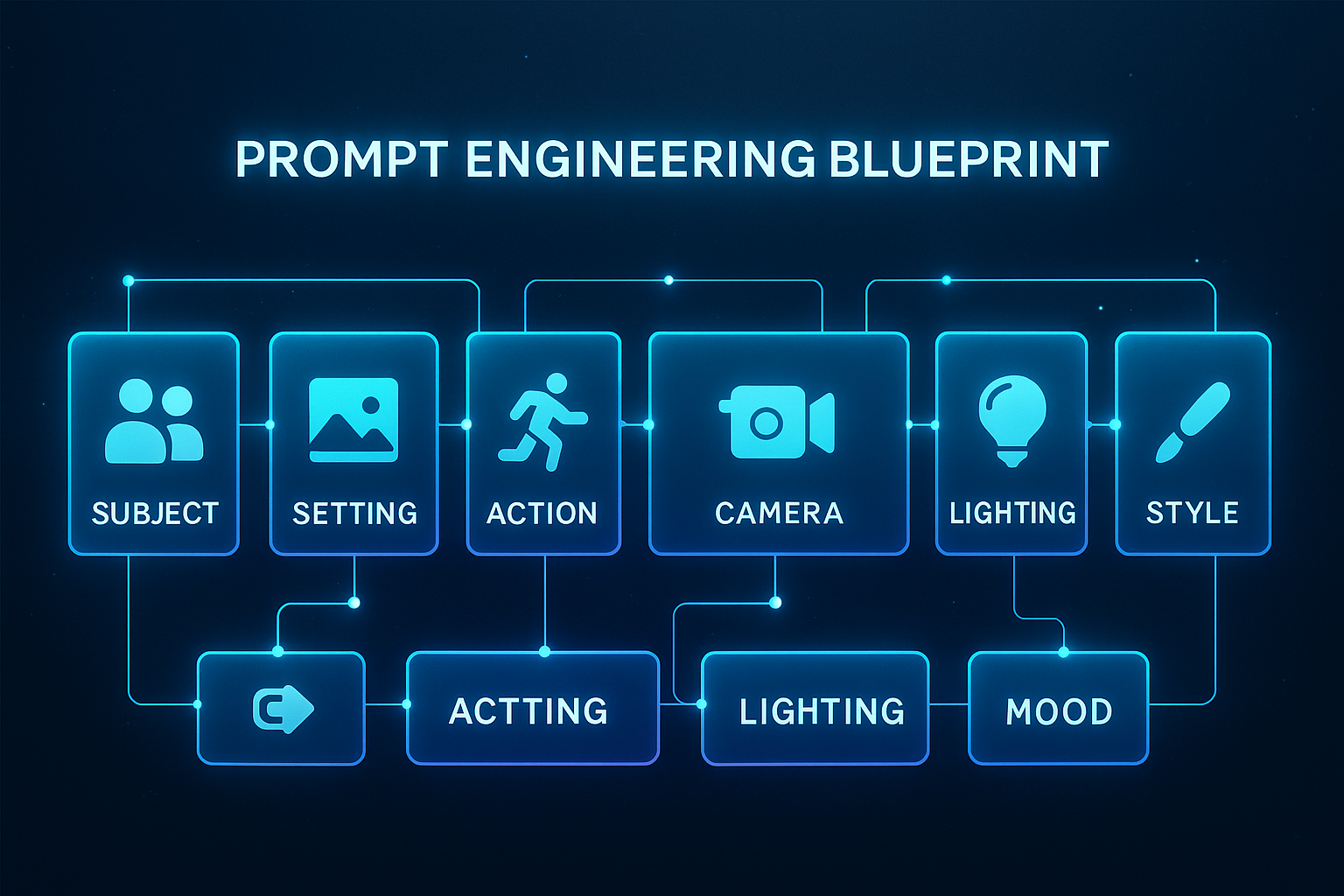
Crafting a compelling video with Sora text to video AI is more nuanced than simply describing a scene. It requires a structured approach that blends artistic vision with technical understanding. Think of your prompt as a director’s shooting script for an AI model. The most effective prompts are built on several core pillars that guide Sora to produce the desired output.
The Pillars of an Effective AI Video Prompt
- Subject and Action: The “who” and “what” of your scene. Be specific about the character, object, or entity and the precise action they are performing (e.g., “a lone astronaut gently floating” vs. “an astronaut in space”).
- Setting and Environment: The “where.” This establishes the world and mood. Detail the location, era, and atmospheric conditions (e.g., “in a neon-drenched, rain-slicked Tokyo alleyway at night”).
- Shot Framing and Camera Movement: The cinematographer’s toolkit. This directly instructs Sora on how to “film” the scene. Specify shot types (close-up, wide shot, drone shot) and camera motions (slow push-in, sweeping crane shot, handheld shake).
- Lighting and Color Palette: The visual tone. This is crucial for evoking emotion. Describe the lighting source, quality, and color scheme (e.g., “warm, golden hour sunlight,” “cold, clinical blue-tinted laboratory lighting,” “vibrant, saturated pop-art colors”).
- Mood and Atmosphere: The emotional core. Use descriptive adjectives to convey the feeling you want the viewer to experience (e.g., “melancholic and serene,” “tense and thrilling,” “whimsical and magical”).
- Style and Fidelity: The final polish. Reference artistic styles, film stocks, or resolution to ensure consistency (e.g., “shot on 35mm film,” “in the style of a Studio Ghibli anime,” “photorealistic, 4K resolution”).
Sora Text-to-Video Adoption Timeline
The integration of advanced AI video generation tools like Sora into mainstream workflows is not an overnight event but an evolutionary process. Understanding this timeline helps creators and businesses strategize their adoption effectively.
- Short-Term (Now – Mid-2025): The era of experimentation and prototyping. Individual creators and forward-thinking marketing teams use Sora for rapid concept visualization, storyboarding, and creating short-form social media content. The focus is on mastering prompt engineering and understanding the model’s capabilities and limitations.
- Mid-Term (Late 2025 – 2026): The shift towards professional integration. We’ll see Sora being used for drafting scenes in indie film productions, generating dynamic assets for video game studios, and creating personalized advertising blocks. Expect plugins for major creative suites (Adobe Premiere Pro, DaVinci Resolve) and more sophisticated control features like temporal consistency layers.
- Long-Term (2027 and Beyond): Seamless, multi-modal workflows. Sora and its successors will become ingrained in the content creation pipeline, capable of generating coherent, long-format video narratives. AI will act as a collaborative co-director, taking complex, multi-shot scene descriptions and producing entire sequences that can be edited and composited with live-action footage seamlessly.
Step-by-Step Guide to Crafting Your First Masterpiece
Step 1: Define Your Core Narrative Goal
Before typing a single word, clarify the story you want to tell. Are you showcasing a product, evoking an emotion, or illustrating a complex idea? A clear goal is the foundation of a powerful prompt. Ask yourself: “What is the single most important message of this video?”
Step 2: Assemble Your Prompt Ingredients
Using the core components outlined above, brainstorm keywords for each pillar. If your goal is to create a serene natural scene, your ingredients might be: Subject (fox), Action (drinking from a crystalline stream), Setting (ancient, misty forest), Lighting (dappled sunlight filtering through canopy), etc.
Step 3: Structure the Prompt for Clarity
Arrange your ingredients into a coherent, grammatically correct sentence or short paragraph. Start with the subject and action, then layer in the environment, followed by camera and lighting details. The model responds better to natural language than a disjointed list of keywords.
Step 4: Iterate and Refine
Your first generation is a starting point, not the finish line. Analyze the output. Was the lighting too dark? Was the camera too shaky? Use the initial result to refine your prompt, adding or tweaking descriptive elements to guide Sora closer to your vision.
Measuring the Performance Metrics & Impact
The impact of effectively leveraging Sora text to video extends far beyond just creating pretty visuals. It translates into tangible, quantitative benefits for businesses and creators.
- Production Efficiency: Reduce pre-production storyboarding and asset creation time by up to 70%. What used to take days for a team of artists can now be prototyped in minutes.
- Cost Reduction: Drastically lower the cost of high-quality video production. A single video that might have cost thousands in crew, equipment, and location fees can be generated for a fraction of the price.
- Content Velocity: Increase the volume and frequency of video content output. Marketing teams can A/B test different video ad concepts on the same day they are conceived.
- Creative Empowerment: Democratize high-end video production, allowing storytellers and SMEs without formal film training to bring their visions to life with professional polish.
Optimization Strategies for Consistent Quality
Achieving consistently high-quality results from your Sora text to video prompts requires a strategic approach beyond the basics.
- Leverage Chain-of-Thought Prompting: For complex scenes, “think out loud” in your prompt. Describe the sequence of events or the logical connection between elements to help Sora maintain coherence. Example: “Start with a wide shot of… then slowly zoom in to reveal…”
- Use Negative Prompts: Explicitly state what you don’t want to see to avoid common artifacts. Phrases like “-deformed limbs -blurry faces -ugly -disfigured -poorly drawn hands -extra limbs -mutated hands” can clean up the output significantly.
- Reference Specific Art Styles: Instead of “looks like a painting,” use “in the artistic style of Van Gogh’s Starry Night” or “with the color palette of Wes Anderson’s The Grand Budapest Hotel.” The model is trained on these specific references.
- Integrate with Post-Production: Plan for Sora to be one tool in your arsenal. Generate clips with the intention of compositing them in an editor like Adobe After Effects. Film your live-action subject on a green screen and use Sora to generate the dynamic background.
Use Cases & Industry Applications
The applications for sophisticated Sora text to video prompts span nearly every creative and commercial field.
- Film & Storyboarding: Directors can rapidly visualize script pages, testing different cinematographic styles for a scene before a single frame is shot.
- Marketing & Advertising: Create hyper-personalized video ads where the background, product, or narrative adapts to user data in real-time.
- Gaming & Metaverse: Generate endless, dynamic environmental assets, character animations, and in-game cutscenes, reducing the asset creation burden on development teams.
- E-Learning & Training: Transform dry, text-based manuals into engaging, visual tutorials and safety demonstrations, improving knowledge retention.
- Architecture & Real Estate: Create “what if” visualizations of buildings and interior designs in any environment or weather condition, or generate realistic virtual tours of unbuilt properties.
Common Pitfalls & How to Avoid Them
Even experienced prompt engineers can fall into common traps that degrade the quality of their Sora generations.
- The “Too Vague” Pitfall:
- Mistake: “A man in a city.”
- Solution: Be intensely specific. “A middle-aged man in a vintage brown trench coat, walking briskly with a purposeful stride through a rain-drenched, neon-lit Shinjuku crossing at night, shot with a shallow depth of field.”
- The “Conflicting Instructions” Pitfall:
- Mistake: “A bright and sunny scene with a dark and moody atmosphere.”
- Solution: Ensure all your prompt elements work in harmony. Choose one dominant mood and have all other elements (lighting, color, action) support it.
- The “Ignoring Physics” Pitfall:
- Mistake: Requesting physically impossible camera moves or object interactions.
- Solution: Ground your prompts in a basic understanding of real-world physics and cinematography. While Sora can handle some fantastical elements, it works best when the core rules of reality are respected.
Maintenance & Scalability Tips
As you build a library of prompts and generated content, maintaining a organized system is key to scaling your efforts.
- Create a Prompt Library: Use a spreadsheet or database (like Notion or Airtable) to catalog your most successful prompts. Tag them by style, subject, mood, and performance metrics. This becomes your proprietary “secret sauce.”
- A/B Test Everything: Systematically test variations of your top-performing prompts. Change one variable at a time (e.g., only the camera movement) to build a deep understanding of what each parameter controls.
- Future-Proof with Compositing: The most scalable approach is to generate multiple, shorter, coherent clips with Sora and then assemble, edit, and add effects in a traditional video editor. This gives you maximum creative control and avoids the current limitations of generating a single, perfect long clip.
The 11 Cinematic Sora Text-to-Video Prompts
Here are 11 meticulously crafted prompts, designed to showcase different genres, techniques, and emotional tones. Use them as-is or as a template for your own creations.
- The Epic Drone Shot
- Prompt: “Cinematic drone shot soaring over a vast, misty mountain range at sunrise. The peaks are jagged and snow-capped, with low-hanging clouds weaving through the valleys. The camera reveals a lone, ancient monastery perched precariously on a cliffside. Volumetric lighting, golden hour, epic and awe-inspiring atmosphere.”
- The Intense Close-Up
- Prompt: “Extreme close-up shot of a human eye, reflecting a flickering campfire. The iris is a striking green, and a single tear is welling up, catching the firelight. The background is a soft, out-of-focus bokeh of a dark forest. Hyper-detailed, photorealistic, intimate and emotional mood.”
- The Cyberpunk Action Sequence
- Prompt: “Dynamic, fast-paced action sequence in a neon-drenched, rain-slicked Tokyo alleyway. A woman with a glowing cybernetic arm gracefully slides under a swipe from a robotic enforcer, sending a spray of rainwater into the air, captured in slow-motion. Cinematic, anamorphic lens flare, vibrant neon colors, tense and thrilling atmosphere.”
- The Serene Nature Moment
- Prompt: “A serene, wide-angle shot in a sun-dappled enchanted forest. A majestic red fox cautiously steps towards a crystal-clear stream, its reflection perfectly mirrored in the still water. Lush green moss covers the rocks, and particles of light float in the air. Peaceful, tranquil, and magical mood.”
- The Vintage Sci-Fi Scene
- Prompt: “A 1960s retro-futuristic spaceship control room. Astronauts in vintage silvery spacesuits monitor banks of analog switches and blinking lights through a large circular viewport showing a nebula outside. Shot on grainy 35mm film with a warm color grade, nostalgic and adventurous tone.”
- The Whimsical Animation
- Prompt: “A whimsical, Studio Ghibli-style animated scene of a small, furry creature riding on the back of a floating, glowing jellyfish through a bioluminescent forest at night. Soft, pastel colors, hand-drawn aesthetic, magical and heartwarming atmosphere.”
- The Product Reveal
- Prompt: “Elegant product reveal of a sleek, modern smartphone. The device rotates slowly on a minimalist, black marble surface under soft studio lighting. A particle of light travels over its surface, highlighting the polished edges and screen. Clean, professional, luxury aesthetic.”
- The Time-Lapse Wonder
- Prompt: “A breathtaking time-lapse shot of the Milky Way galaxy spinning over a remote desert mesa. The saguaro cacti are silhouetted in the foreground. Star trails paint brilliant arcs across the night sky. Ultra-wide angle, astrophotography, awe-inspiring and vast mood.”
- The Noir Mystery
- Prompt: “Film noir style scene in a 1940s detective’s office. A desk lamp is the only light source, casting long, dramatic shadows across the room. A shadow of a fedora-wearing man is projected on the wall as smoke from a cigarillo curls through the light beam. High contrast black and white, moody and suspenseful tone.”
- The Macro World
- Prompt: “Macro photograph shot of a dewdrop clinging to a spiderweb at dawn. Inside the perfect sphere of the water droplet, the inverted reflection of the surrounding garden is visible. Extreme detail, sharp focus, serene and delicate atmosphere.”
- The Fantasy Epic
- Prompt: “An epic fantasy battle scene on a vast, grassy plain. A massive, winged dragon breathes a plume of ethereal blue fire towards an army of knights with glowing shields. Dramatic, low-angle shot making the dragon appear immense. Cinematic, Lord of the Rings-style, high-fantasy aesthetic.”
Conclusion
Mastering the art of the prompt is the key to unlocking the full, staggering potential of Sora text to video technology. It’s a skill that merges the soul of a storyteller with the mind of a technician. By understanding the core components, adhering to a strategic process, and learning from both successes and failures, you can consistently generate video content that is not only technically impressive but also deeply resonant and emotionally engaging.
The ability to instantly visualize any idea is a superpower that is now at your fingertips. Don’t just watch the future of content creation unfold—step into the director’s chair and start building it. Choose one of the 11 prompts above, input it into Sora, and witness the magic of cinematic AI video generation for yourself.
FAQs
1. What is the most common mistake beginners make with Sora prompts?
The most common mistake is being too vague. “A dog in a park” gives Sora too much room for interpretation, often leading to generic results. Specificity is fuel for the AI. Instead, try “A fluffy Golden Retriever puppy joyfully chasing a red frisbee in a sunlit, grassy park on a summer afternoon, shot with a shallow depth of field.”
2. Can Sora generate videos with specific actor likenesses or branded characters?
Currently, using Sora to generate videos with the specific, recognizable likeness of a real person or a copyrighted character (like a Disney character) is strongly discouraged and often prevented by the model’s safety filters. This is to avoid potential misuse and infringement of personality rights and intellectual property.
3. How long can Sora generate videos, and can I control the camera angle changes?
As of its current development state, Sora can generate video clips up to one minute in length. While you can suggest camera movements within a single shot (e.g., “a slow push-in,” “a sweeping crane shot”), directing precise, hard cuts between different camera angles in a single prompt remains a significant challenge. The most reliable method is to generate individual clips and edit them together later.
4. What are ‘negative prompts’ and how do I use them effectively?
Negative prompts are instructions that tell the model what you don’t want to see in the generated video. They are incredibly useful for cleaning up common AI artifacts. You can add a section to your prompt like: “-ugly -disfigured -blurry -poorly drawn hands -extra limbs -mutated -text -watermark.” This helps steer Sora away from these common errors.
5. How can I use Sora videos commercially?
The commercial usage rights for content generated by AI models like Sora are governed by the terms of service of the company providing the tool (OpenAI). It is essential to review the most up-to-date ToS for the specific platform you are using. Generally, they are moving towards granting users ownership of their generated content, but certain restrictions may apply, especially regarding the reproduction of copyrighted styles or prohibited content. Always check the official policy.
6. Is Sora better at photorealistic or animated styles?
Sora is remarkably proficient in both domains. Its training data encompasses a vast array of visual media, from live-action films to animated features. The key is in your prompt. Using terms like “photorealistic,” “4K,” “shot on Arri Alexa,” will push it towards realism, while “animated style,” “in the style of Pixar,” or “watercolor painting” will guide it towards stylized outputs.
7. My generated video is great, but there’s a weird flicker or glitch. Can I fix it?
Minor temporal inconsistencies (flickering, object instability) are a current limitation of many generative video models. While you can’t “re-run” just one part of the clip within Sora, you can use the problematic generation as a base and re-prompt with more specific negative instructions (“-flickering -glitching”). The most effective fix is often to use post-production software like Adobe After Effects or RunwayML’s tools to stabilize or correct minor artifacts.
Share this content:












Post Comment